
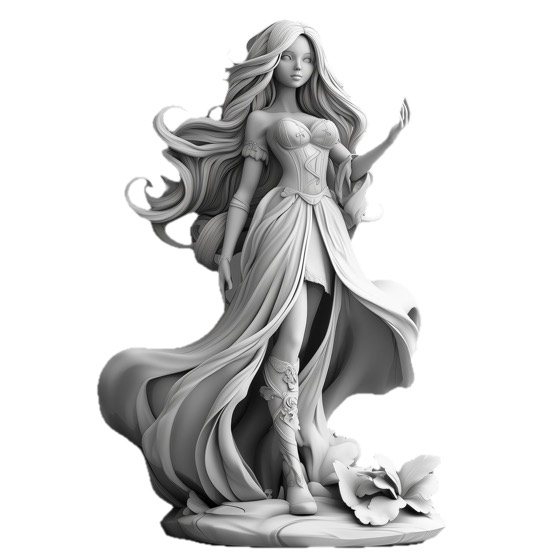
Back-projected detail

Pixal3DAlpha

TencentARC's pixel-back-projection model, ported to Apple Silicon. It reads the camera from your photo and projects the image onto a 3D grid, so the geometry follows the picture closely. Detail that survives in the bare mesh, not just the texture.

One of several local engines in 3D Mate. Switch per model, any time.

Pixal3D runs fully offline on a Mac inside 3D Mate. TencentARC's pixel-back-projection image-to-3D model turns a single photo into a 3D model on Apple Silicon, with no cloud upload and no account. It aims for figurine-grade detail, with geometry that closely follows the photo, and offers Standard (512) or High (1024) detail on big-memory Macs. It needs 32 GB of unified memory at minimum (64 GB or more for High detail) and about 19 GB of disk, taking roughly 6 minutes on an M1 Pro (about 20 at High). It exports GLB and STL. For a lighter all-rounder use TRELLIS.2 4B; for sharp geometry see TripoSG.

Made with 3D Mate. A sample result, to show the app's output.

What it is great at

  • Figurines and characters, where sculptural detail has to hold up in the raw geometry.
  • Following the source photo closely, so the shape corresponds to what you gave it.
  • High detail runs the model at 1024 on large-memory Macs, for the sharpest small forms.

Trade-offs

  • A big-memory model. Standard needs 32 GB, and High detail wants 64 GB or more.
  • Geometry only for now. It ships the shape as GLB and STL, without texture.
  • Slower. Roughly 10 minutes at Standard, and about 21 minutes at High on a large-memory Mac.

At a glance

Unified memory
32 GB minimum. High detail needs 64 GB or more
Detail
Standard 512, or High 1024 on big-memory Macs
On disk
About 19 GB
Speed · M1 Pro, 32 GB
About 6 min, 20 at High detail
Exports
GLB, STL
Works offline
Fully on your Mac. No internet or cloud, nothing uploaded.

The original model

Pixal3D is MIT licensed. It bundles Meta's DINOv3, which permits commercial use under the DINOv3 License. 3D Mate asks you to accept those terms before it downloads.

Try Pixal3D on your Mac.

Free to try. Install Pixal3D from inside the app, in a click.

FAQ

Does Pixal3D run offline on Mac?
Yes. Pixal3D runs entirely on your Mac, fully offline and on-device. No internet connection, no cloud account, and nothing you import or generate ever leaves your machine.
Do I need an internet connection or an account to use Pixal3D?
No. Once 3D Mate and the Pixal3D engine are installed, everything runs locally on Apple Silicon. You can generate 3D models with Pixal3D on a Mac that is completely offline.