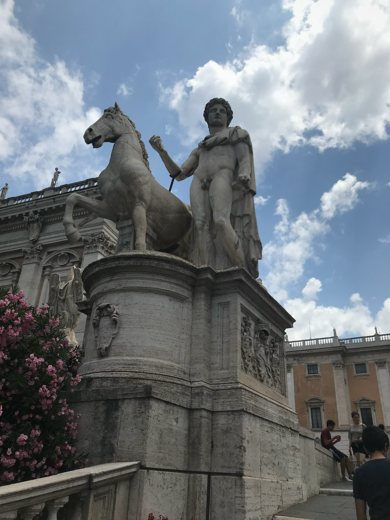
One masked photo

SAM 3D ObjectsAlpha

Meta's single-image engine. From one photo to a textured mesh, running entirely on your Mac.

One of several local engines in 3D Mate. Switch per model, any time.

SAM 3D Objects runs fully offline on a Mac inside 3D Mate. Meta's single-image engine turns one masked photo into a textured 3D mesh entirely on Apple Silicon, with no cloud upload, no account, and no internet connection once installed. It needs 24 GB of unified memory (32 GB recommended) and about 15 GB of disk, and finishes in a few minutes on an M1 Pro. It exports GLB, USDZ, OBJ, STL, and PLY. For a balanced all-rounder use TRELLIS.2 4B; for the fastest drafts on 8 GB use TripoSR.

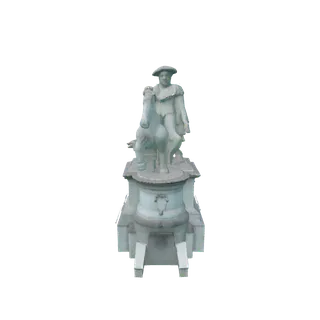
Made with 3D Mate. A sample result, to show the app's output.

What it is great at

  • Turns a single masked photo into a full model, geometry and texture.
  • Reuses the object mask 3D Mate already makes when it removes the background.
  • Uses the same structured-latent approach as TRELLIS.2, from Meta.

Trade-offs

  • Needs 24 GB of unified memory.
  • Governed by the SAM License (Meta Acceptable Use Policy).
  • Alpha: still a work in progress.

At a glance

Unified memory
24 GB minimum, 32 GB recommended
On disk
About 15 GB
Speed · M1 Pro, 32 GB
A few minutes
Exports
GLB, USDZ, OBJ, STL, PLY
License
SAM License
Works offline
Fully on your Mac. No internet or cloud, nothing uploaded.

The original model

Try SAM 3D Objects on your Mac.

Free to try. Install SAM 3D Objects from inside the app, in a click.

FAQ

Does SAM 3D Objects run offline on Mac?
Yes. SAM 3D Objects runs entirely on your Mac, fully offline and on-device. No internet connection, no cloud account, and nothing you import or generate ever leaves your machine.
Do I need an internet connection or an account to use SAM 3D Objects?
No. Once 3D Mate and the SAM 3D Objects engine are installed, everything runs locally on Apple Silicon. You can generate 3D models with SAM 3D Objects on a Mac that is completely offline.